更新时间:
#ubuntu 18 vs node 16 依赖问题
node: /lib/x86_64-linux-gnu/libc.so.6: version `GLIBC_2.28' not found (required by node) 高版本node 依赖 glibc版本问题
Using this command to check GLIBC version

ldd --version
#fix step. ubuntu 18才有的问题
- remove nodejs npm sudo apt-get remove nodejs sudo apt-get remove npm
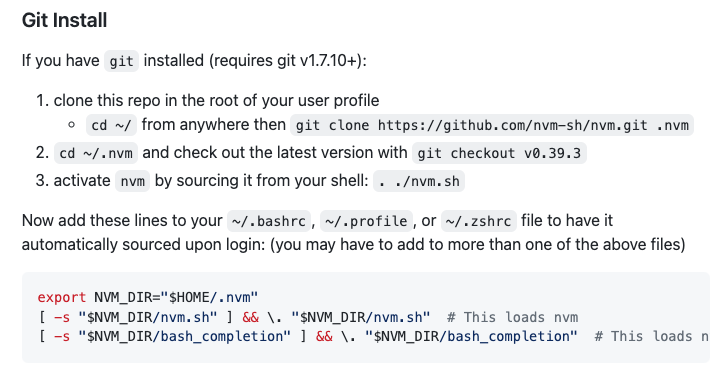
- install nvm
git clone https://github.com/nvm-sh/nvm.git .nvm
Now add these lines to your ~/.bashrc, ~/.profile, or ~/.zshrc file to have it automatically sourced upon login
export NVM_DIR="$HOME/.nvm"
[ -s "$NVM_DIR/nvm.sh" ] && \. "$NVM_DIR/nvm.sh"  # This loads nvm
[ -s "$NVM_DIR/bash_completion" ] && \. "$NVM_DIR/bash_completion"  # This loads nvm bash_completion
- relogin. 重开shell
- nvm ls-remote 查看线上版本.选择一个
- nvm install v14.xx.xx ()
- nvm use v14.xx.xx
- nvm uninstall v14.xx.x
- nvm alias default v22.18.0 更改默认
这里一个 安装glibc.so 方案,没试 https://blog.csdn.net/cutemypig/article/details/121502161
- 最后少了2步骤, make && make install